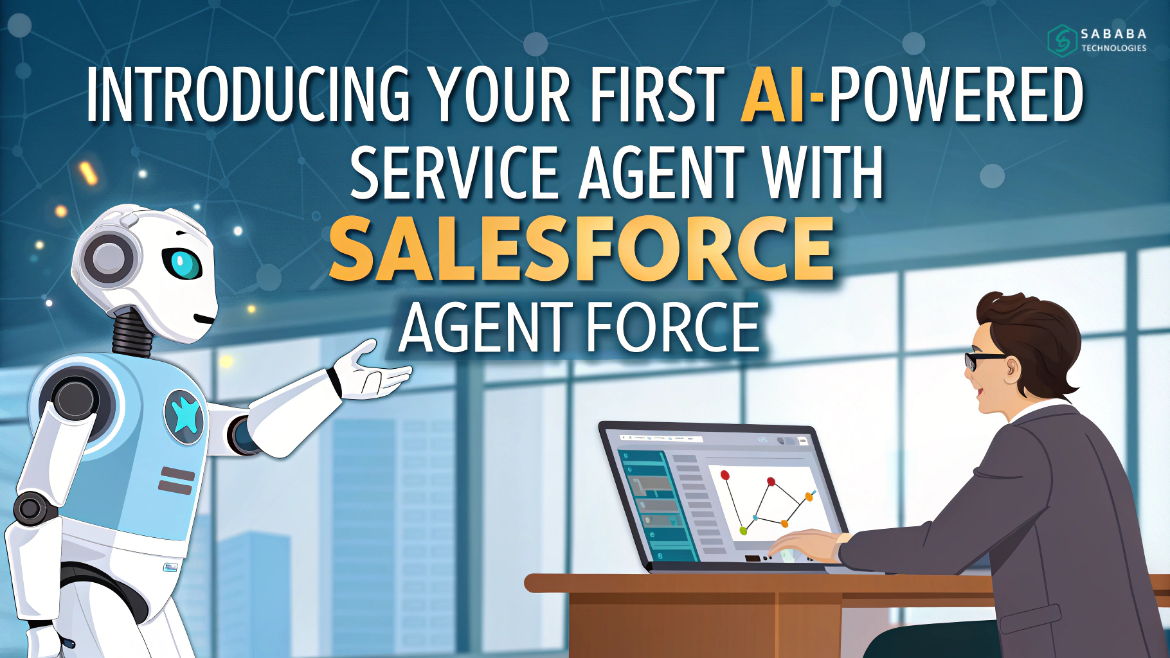
et up Salesforce Agentforce AI-powered service agent to automate support, improve response time, and enhance service easily without coding.
Customer service is transforming faster than ever. Businesses want quick responses, seamless digital experiences, and automated assistance that works every hour of the day. Therefore, this is where Salesforce Agentforce comes into play. With that said, with the right setup, you can deploy your first AI-powered service agent without coding, without rebuilding your Salesforce org, and without months of development time. In addition, organizations gain faster service, more importantly, a smarter workflow that reduces manual effort. Ultimately, this creates a support system that grows smoothly as your business expands.
Instead, you simply connect the digital dots, activate instructions, and allow the system to assist customers independently.
Why Businesses Are Turning to Intelligent Automation
Traditionally, customer support depended entirely on human agents. Even now, teams handle endless cases manually—everything from logging service requests to verifying customer data. As a result, workloads continue to grow, and moreover, response times often slow down. In many cases, this creates pressure on support teams, and consequently, customer experience suffers. Therefore, businesses are now seeking smarter, automated alternatives. However, this model becomes expensive and slow as the business scales.
With Salesforce Agentforce, companies get a smarter approach:
- Faster response times
- Hands-free request processing
- Record updates in real-time
- Better service experience
- Continuously learning automation
In short, an AI-powered service agent allows businesses to resolve routine requests instantly, while human agents focus on strategic or complex interactions.
What Makes Salesforce Agentforce Special
Before building your first solution, it helps to understand what powers Salesforce Agentforce. Each digital agent includes five essential elements:
1. Role and Responsibilities
This defines what your AI-powered service agent actually does. Examples include:
- Registering new users
- Scheduling appointments
- Checking open cases
- Updating contact information
Once defined, you give the agent clear instructions in everyday language.
2. Data Sources
An agent is only as intelligent as its information. Therefore, you can connect:
- Standard Salesforce objects
- Data Cloud
- Files
- Third-party applications
This gives the AI-powered service agent the context needed to answer questions and complete tasks.
3. Actions and Automations
Your agent isn’t just a chatbot—it can perform real actions. It can:
- Launch flows
- Add comments to records
- Create new contacts
- Update case fields
- Trigger built-in system functions
4. Guardrails
You maintain full control. Using guardrails, you define:
- What the agent is allowed to change
- What it must avoid
- What is sensitive
- Which areas require human approval
This ensures safety and accuracy across the platform.
5. Channels for Deployment
Once ready, your AI-powered service agent can be launched across multiple touchpoints:
- Web portal
- Mobile experience
- Slack
- Internal systems
Customers get help wherever they already are—no extra app required.
Step-by-Step: Building Your First Agent
Let’s walk through how to introduce your first AI-powered service agent with Salesforce Agentforce.
Step 1: Define Your Use Case
Start small. For example, imagine an auto service company that wants to automate appointment booking. The agent should:
- Check whether the customer exists
- Ask for vehicle details
- Book a suitable appointment slot
- Confirm the booking with the user
This kind of focused starting point builds momentum and confidence.
Step 2: Enable Required Settings
In Salesforce Setup:
- Turn on Einstein and Agentforce
- Assign a permission set
- Provide access only to necessary records
This keeps your environment secure while allowing flexibility.
Step 3: Build Supporting Flows
Your AI-powered service agent will rely on automated flows for actions like:
- Searching for an existing customer
- Creating a new profile
- Checking available appointment slots
- Recording booking details
You may already have these flows, meaning you can reuse existing work.
Step 4: Create Topics and Instructions
In Salesforce Agentforce Builder:
- Add topics like Verification or Scheduling
- Provide simple, conversational instructions
- Link the relevant flows
No coding—just clear direction.
Step 5: Test Real Scenarios
Use the testing console and simulate:
- Different user messages
- Missing information
- Unexpected data
- Edge cases
The more variations you test, the more reliable the automation becomes.
Step 6: Deploy to a Channel
Once satisfied, deploy the AI-powered service agent wherever customers interact. After that, make sure it looks consistent with your brand and performs seamlessly. In addition, ensure that it integrates smoothly with your existing channels. Furthermore, check that the experience feels natural to users. Ultimately, this helps deliver a reliable and professional service experience across every touchpoint.
Step 7: Monitor and Improve
After deployment, examine:
- Logs
- Conversation transcripts
- Failure points
- Customer feedback
With continuous refinement, Salesforce Agentforce becomes sharper, faster, and more accurate over time.
Best Practices You Should Follow
To make the most of Salesforce Agentforce, follow these simple but powerful tips:
- Limit system access to only what’s required
- Mix standard actions with automation flows
- Use existing processes instead of reinventing the wheel
- Strengthen guidance with crystal-clear instructions
- Test repeatedly until the system behaves consistently
These ensure your AI-powered service agent performs professionally and safely.
What You Gain from This Approach
By adopting Salesforce Agentforce, organizations experience:
- Faster customer support—even overnight
- More cases resolved without human intervention
- Higher accuracy with automated processing
- Consistency in service regardless of who is available
- Scalable service delivery without new hires
In other words, your team can focus on meaningful work while the system handles the repetitive grind.
Deploying your first AI-powered service agent with Salesforce Agentforce is far easier than most assume. Without writing a line of code, you can create intelligent, rule-based digital support that interacts with real Salesforce data, updates records, and solves customer problems automatically. In other words, the system works behind the scenes to manage routine tasks. Furthermore, it ensures that information stays accurate and up to date. As a result, your team saves time and effort. Ultimately, this leads to a more efficient service process and a better customer experience overall.
Companies that embrace this shift stand to gain faster service, improved efficiency, and stronger customer satisfaction—while saving significant operational effort. Moreover, they reduce repetitive manual work that slows down teams. In addition, service processes become more consistent and predictable. As a result, employees focus on high-value tasks instead of routine requests. Ultimately, this transformation strengthens productivity, enhances customer trust, and supports long-term growth.
FAQs
1. Do I need coding skills to build a service agent with Salesforce Agentforce?
No. You can build and launch your first solution using configuration, flows, and instructions in simple language. Additionally, you don’t need coding skills to get started.
2. What can an AI-powered service agent actually perform?
It can search records, schedule meetings, update Salesforce data, create cases, trigger flows, and answer questions.
3. Can I control what the agent is allowed to modify?
Yes. With guardrails, you define what is permitted, what is restricted, and what requires human approval. Additionally, this ensures the agent operates safely. Furthermore, it helps maintain control over sensitive actions and data.
4. Where can the service agent be deployed?
You can launch it across portals, mobile apps, Slack, WhatsApp, or other supported digital channels.
5. Is Salesforce Agentforce suitable for small businesses?
Absolutely. It helps small teams scale support without hiring additional agents, making it ideal for growing organizations.
Feeling more like puzzles than solutions? That’s when Sababa steps in.
At Sababa Technologies, we’re not just consultants, we’re your tech-savvy sidekicks. Whether you’re wrestling with CRM chaos, dreaming of seamless automations, or just need a friendly expert to point you in the right direction… we’ve got your back.
Let’s turn your moments into “Aha, that’s genius!”
Chat with our team or shoot us a note at support@sababatechnologies.com. No robots, no jargon, No sales pitches —just real humans, smart solutions and high-fives.
P.S. First coffee’s on us if you mention this blog post!