Streamline your workday with Salesforce automation. Discover how a small business CRM boosts productivity and saves time.
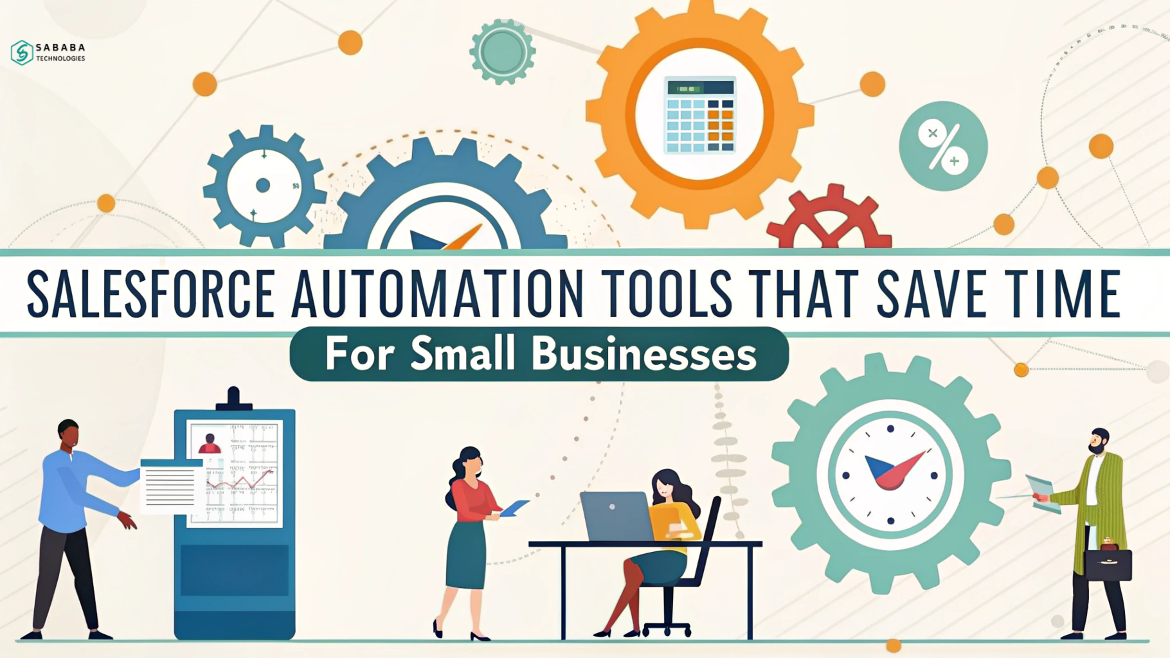
Running a small business often means wearing more hats than your closet can hold. From sales and support to marketing and operations, there’s always something that needs urgent attention. But here’s the silver lining—Salesforce automation tools are like having a quiet, capable assistant who never takes a day off.
In this post, we’ll walk you through some essential automation features that Salesforce offers. These tools don’t just save time—they give you back your sanity.
Why Small Businesses Need Automation More Than Ever
Let’s be real—time isn’t just money; it’s survival for small businesses. You don’t have the luxury of bulky teams or endless resources. Every hour spent on manual tasks is an hour stolen from growth, strategy, or customer relationships.
That’s where Salesforce automation steps in. It transforms repetitive work into streamlined workflows, helping you do more with less effort.
1. Workflow Rules: Your 24/7 Task Manager
Workflow Rules in Salesforce act like your backstage crew. Once set up, they handle things like sending follow-up emails, assigning tasks, or updating records—all automatically.
Imagine a lead comes in through your website. Instead of manually tagging and assigning it to the right salesperson, Salesforce automation rules can do it instantly. No delays. No mix-ups.
2. Email Templates and Auto-Responses That Sound Human
Let’s face it—writing the same email 50 times a week gets old, fast. Fortunately, Salesforce makes this easier by letting you create personalized email templates that can be triggered automatically. Whether you’re onboarding new customers or nurturing leads, automation saves valuable time.
For instance, need to send a welcome email every time someone signs up? Done. Similarly, want to follow up three days after a product demo? You got it. In both cases, Salesforce automation steps in to keep things consistent and timely. As a result, your communications feel thoughtful without requiring manual effort.
Ultimately, these simple touches build trust—and over time, trust builds long-term business success.
3. Lead Scoring: Focus on What Matters
Time-wasters come disguised as unqualified leads. Instead of chasing every inquiry, use Salesforce’s lead scoring feature to focus on prospects that actually matter. Salesforce automation tools can score leads based on behavior—like opening emails, clicking links, or attending webinars—so your team focuses energy where it counts.
4. Task Automation with Process Builder
The Process Builder is a step above Workflow Rules. Not only that, it allows for more complex logic and multi-step processes. In other words, it gives you the flexibility to create smarter, more dynamic automations that reflect real-world business needs.
For example, say a customer buys a product. At that point, you can automate a chain of events: update their record, send a thank-you email, notify the sales rep, and even start a cross-sell campaign. As a result, your team stays informed, your customer feels valued, and your upselling strategy kicks in—all without lifting a finger. Ultimately, Process Builder simplifies operations while making your small business CRM more responsive and efficient. This is the kind of small business CRM intelligence that scales as you grow.
5. Reports and Dashboards That Update Themselves
Manually pulling reports is like checking your car’s oil with a candle—it works, but there’s a better way.
Salesforce’s automated dashboards let you see your sales, service, and marketing data in real time. Customize what matters to you, and let the system do the heavy lifting. Thanks to Salesforce automation, your insights are ready before you even ask for them.
6. Integrate with Your Favorite Tools
Already using Gmail, Slack, or QuickBooks? Salesforce plays nicely with others. You can set up automations that connect these tools and share data across platforms.
For example, a new Salesforce lead can trigger a Slack message to your sales team or create an invoice draft in QuickBooks. Small actions, big results.
7. Use Flow Builder for Personalized Customer Journeys
Flow Builder is like the artist’s brush in your Salesforce automation toolkit. It allows you to create customized flows that react to customer actions.
Let’s say a client misses a payment. Instead of sending a generic reminder, you could use Flow Builder to check their purchase history and tailor a message accordingly. It’s automated, yes—but far from robotic.
8. Einstein & Smart Salesforce Automation
This isn’t science fiction. Einstein Automate helps identify patterns in your data and recommends automations that make sense. It’s like having an analyst on your team without paying another salary.
For example, Einstein can flag trends like declining engagement and recommend steps to re-engage customers. Talk about proactive business management.
9. Salesforce Automation for Mobile Teams
Small business owners aren’t always at a desk. That’s why Salesforce mobile automation is a lifesaver. Need to approve a discount request? Update a deal? Assign a lead? Do it all from your phone. Salesforce automation doesn’t clock out when you’re on the road.
10. Scheduled Actions with Salesforce Automation
One of the best feelings? Knowing things are taken care of even when you’re not online. Schedule emails, follow-ups, data updates, or field changes at specific times using Salesforce automation. It’s the kind of quiet support that just works.
Automation Isn’t Cold—It’s Clever
Let’s clear up a common misconception: automation doesn’t mean losing the human touch. In fact, the right automation lets you focus more on people—your customers, your team, and your goals. Salesforce automation tools are not just time-savers. They’re clarity-givers, margin-builders, and sanity-preservers.
Small business success isn’t about doing everything. It’s about doing the right things—and letting smart tools handle the rest.
Why You Should Care
- Salesforce automation streamlines repetitive tasks and saves precious time.
- It helps you personalize communication without added workload.
- You get real-time insights, smarter lead handling, and seamless integrations.
- Most importantly, it frees you up to focus on what truly matters—growing your business.
FAQs
1. What is Salesforce automation?
Salesforce automation refers to using Salesforce’s built-in tools to streamline business processes like sales, customer communication, reporting, and follow-ups.
2. Is Salesforce automation suitable for small businesses?
Absolutely. It’s especially helpful for small teams that need to do more with less. Automation frees up time and reduces human error.
3. What are some examples of Salesforce automation tools?
Workflow Rules, Process Builder, Flow Builder, and Einstein Automate are key tools. They handle tasks like email responses, lead assignments, and customer engagement.
4. Does Salesforce automation require coding?
Not always. Many tools like Process Builder and Flow Builder offer drag-and-drop functionality, making it easy for non-developers to set up automation.
5. Can automation in Salesforce work with other platforms?
Yes. Salesforce integrates with tools like Gmail, QuickBooks, Slack, and more. You can create seamless workflows across platforms.
Feeling more like puzzles than solutions? That’s when Sababa steps in.
At Sababa Technologies, we’re not just consultants, we’re your tech-savvy sidekicks. Whether you’re wrestling with CRM chaos, dreaming of seamless automations, or just need a friendly expert to point you in the right direction… we’ve got your back.
Let’s turn your moments into “Aha, that’s genius!”
Chat with our team or shoot us a note at support@sababatechnologies.com. No robots, no jargon, No sales pitches —just real humans, smart solutions and high-fives.
P.S. First coffee’s on us if you mention this blog post!