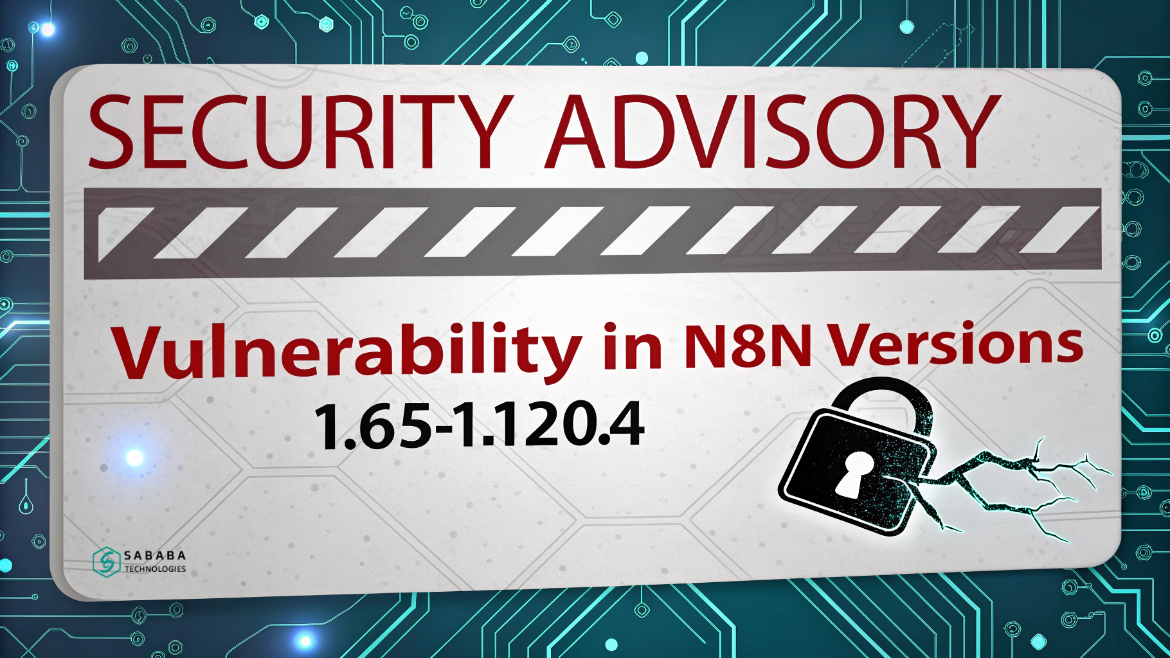
This n8n security advisory explains the critical n8n security vulnerability in versions 1.65-1.120.4 and how to upgrade safely today now!
Automation platforms simplify daily work, but they also demand careful attention to security. Recently, developers and administrators received an important n8n security advisory regarding a serious issue in older versions of the platform. This notice highlights an n8n security vulnerability that could expose sensitive information if left unpatched.
In this blog, we explain the problem in clear language. We break down what happened, who is affected, and how to fix it. More importantly, we cover additional safety steps that were not fully addressed in earlier communications. By the end, you will know exactly how to protect your n8n instance.
Understanding the n8n Security Advisory
The official n8n security advisory warns users about a vulnerability found in versions 1.65 through 1.120.4. The issue centers around certain workflows that use form-based triggers. Under specific conditions, an attacker could misuse those workflows to gain unauthorized access.
This n8n security vulnerability stems from improper input validation. Because of that weakness, a malicious user might attempt to read files stored on the server. While exploitation requires particular workflow settings, the risk remains serious for exposed systems.
Therefore, the company released version 1.121.0 to fix the problem. The update eliminates the flaw and prevents unauthorized access attempts.
Who Is Affected by This Security Issue?
The impact of this n8n security vulnerability depends on how you run the platform.
You are affected if:
- You run a self-hosted n8n instance
- Your version is between 1.65 and 1.120.4
- You use workflows with:
- A Form Submission trigger
- A Form Ending node that returns a binary file
- A Form Submission trigger
On the other hand, you are safe if:
- You use n8n Cloud
- You already upgraded to version 1.121.0 or later
- You run any 2.x version
This distinction matters because cloud customers automatically received the fix. However, self-hosted users must take manual action after reading this n8n security advisory.
How the n8n Security Vulnerability Works
To understand the risk, it helps to see how the flaw operates.
Normally, form-based workflows allow users to submit data safely. Yet, due to the n8n security vulnerability, certain input fields were not properly sanitized. As a result, an attacker could manipulate the form and trick the system into revealing internal files.
In extreme cases, this could lead to:
- Exposure of confidential data
- Unauthorized file access
- Privilege escalation
- Further compromise of connected systems
The good news is that the updated release directly fixes this weakness. That is why every n8n security advisory strongly recommends immediate upgrades.
Required Action for All Users
If you manage an n8n installation, you should act quickly.
The official n8n security advisory gives one clear instruction:
Upgrade immediately to version 1.121.0 or higher.
This step fully resolves the n8n security vulnerability. Once you apply the update, the risk disappears.
For users on version 2.x, no further action is needed. Those releases already contain the patch.
Step-by-Step Guide to Secure Your n8n Instance
To make the process easier, follow these practical steps:
- Check your current n8n version.
- Review workflows that use form submissions.
- Identify any workflow that returns binary files.
- Schedule an upgrade to version 1.121.0 or later.
- Test your workflows after upgrading.
- Remove or disable unnecessary public forms.
By following this plan, you respond effectively to the n8n security advisory and eliminate the n8n security vulnerability from your environment.
Extra Precautions Beyond the Advisory
Although the official guidance is helpful, users should take additional measures.
Here are important steps not always covered in a basic n8n security advisory:
- Limit public access to forms
- Use authentication wherever possible
- Restrict file system permissions
- Enable network firewalls
- Monitor logs for unusual activity
- Avoid exposing n8n directly to the internet
These practices reduce risk even after you fix the known n8n security vulnerability.
Why Timely Updates Matter
Software vulnerabilities rarely remain secret for long. Once details become public, attackers quickly search for outdated systems. That is why every n8n security advisory stresses prompt action.
Upgrading quickly offers three major benefits:
- It closes known security gaps
- It protects business data
- It maintains user trust
Ignoring updates, however, leaves doors open for exploitation.
How n8n Handles Security
The n8n team follows a responsible approach to protecting users. They maintain:
- Regular penetration testing
- Transparent CVE disclosures
- Ongoing vulnerability monitoring
- Quick patch releases
This latest n8n security advisory proves their commitment to openness and safety.
Long-Term Security Best Practices
Beyond reacting to one issue, organizations should build strong habits.
To stay protected from any future n8n security vulnerability, you should:
- Review workflows regularly
- Remove outdated integrations
- Train team members on secure design
- Keep backups of configurations
- Follow release notes closely
These actions create a healthier automation environment.
Security updates may feel inconvenient, but they are essential. This recent n8n security advisory reminds every user how important regular maintenance truly is. The discovered n8n security vulnerability affects only specific versions and configurations, yet the potential damage could be significant.
Fortunately, the solution is straightforward: upgrade to version 1.121.0 or later. By doing so, you remove the risk and keep your automation systems safe.
Always treat security notices seriously. Stay informed, apply patches promptly, and follow best practices. When you act responsibly, your workflows remain reliable and protected.
Automation should empower your work, not put it at risk. Thanks to this timely n8n security advisory, users have clear instructions to fix the issue. Address the n8n security vulnerability today, and ensure your platform remains a secure foundation for innovation.
FAQs
1. What is the main issue described in this n8n security advisory?
The advisory reports an n8n security vulnerability that allows potential unauthorized file access through specific form-based workflows in versions 1.65–1.120.4.
2. How do I know if my system is affected?
Your system is affected if you run a self-hosted instance within the vulnerable version range and use workflows with a Form Submission trigger and a Form Ending node returning binary files.
3. Does upgrading fully fix the n8n security vulnerability?
Yes. Updating to version 1.121.0 or any 2.x release completely resolves the problem mentioned in the n8n security advisory.
4. Are cloud users at risk?
No. Cloud instances were already upgraded automatically and are not impacted by this n8n security vulnerability.
5. What should I do if I cannot upgrade immediately?
Temporarily disable public forms, restrict access to workflows, and monitor activity closely until you can follow the official guidance in the n8n security advisory.
Feeling more like puzzles than solutions? That’s when Sababa steps in.
At Sababa Technologies, we’re not just consultants, we’re your tech-savvy sidekicks. Whether you’re wrestling with CRM chaos, dreaming of seamless automations, or just need a friendly expert to point you in the right direction… we’ve got your back.
Let’s turn your moments into “Aha, that’s genius!”
Chat with our team or shoot us a note at support@sababatechnologies.com. No robots, no jargon, No sales pitches —just real humans, smart solutions and high-fives.
P.S. First coffee’s on us if you mention this blog post!